

Everything you need
for shift work

Log your work, see what you earned, and keep your records in your own hands.

Track your shifts

Record shifts with dates, times, shift types, colors and notes, and see them in daily, weekly and monthly views.

Know your earnings

Set your pay and tax rates and let the app calculate what you earned for every shift.

Analytics and reports

Review your hours and pay, then export a PDF or print it via AirPrint or a Bluetooth printer.

Photos and documents

Attach photos or documents to your shifts so everything stays in one place.

Backup and restore

Create a backup .zip file and restore it whenever you need to, for example on a new phone.

Private by design

No online account and no cloud server. Everything you enter is stored only on your device.

Lyt WorkShift: easily add shifts

How it
works

Get set up in a minute. There is no sign-up and no account to create.

1. Set your defaults

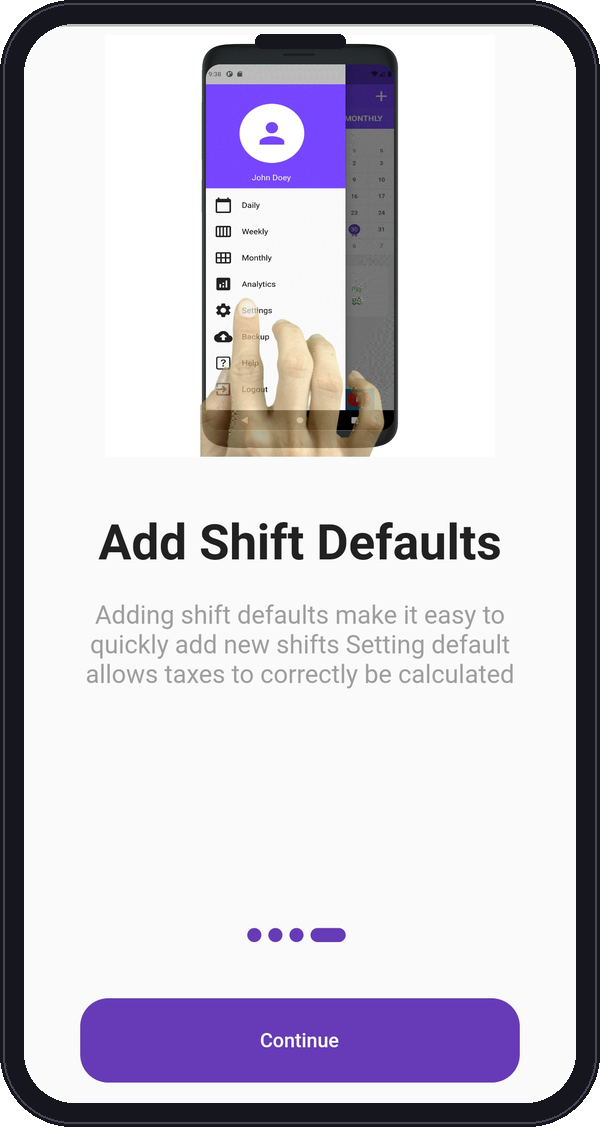
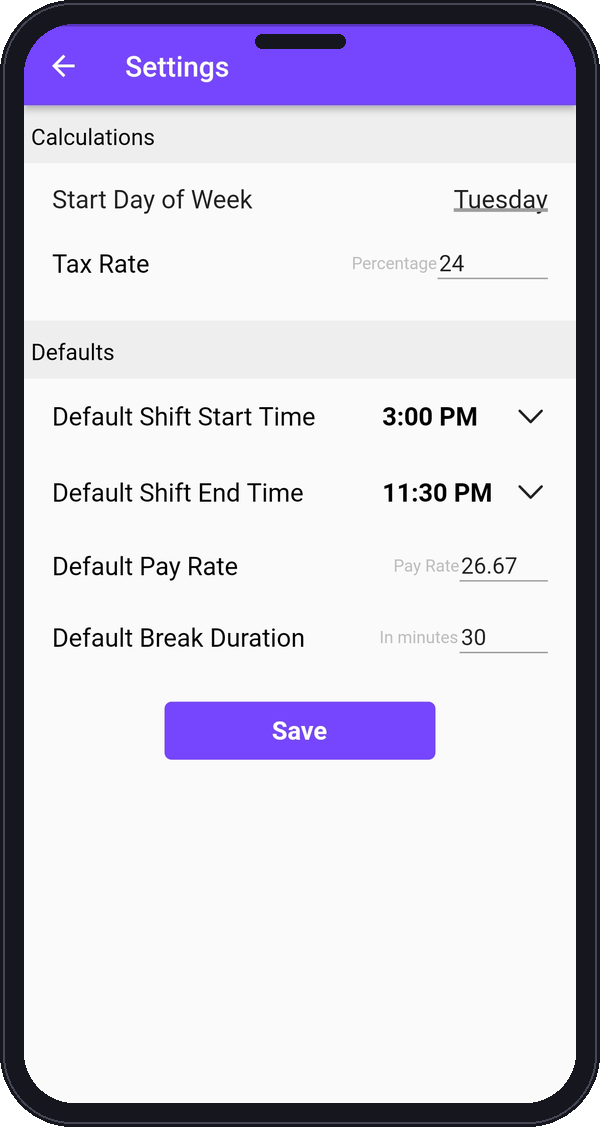
Enter your usual pay rate, tax rate and shift times once, so adding new shifts is quick.

2. Log your shifts

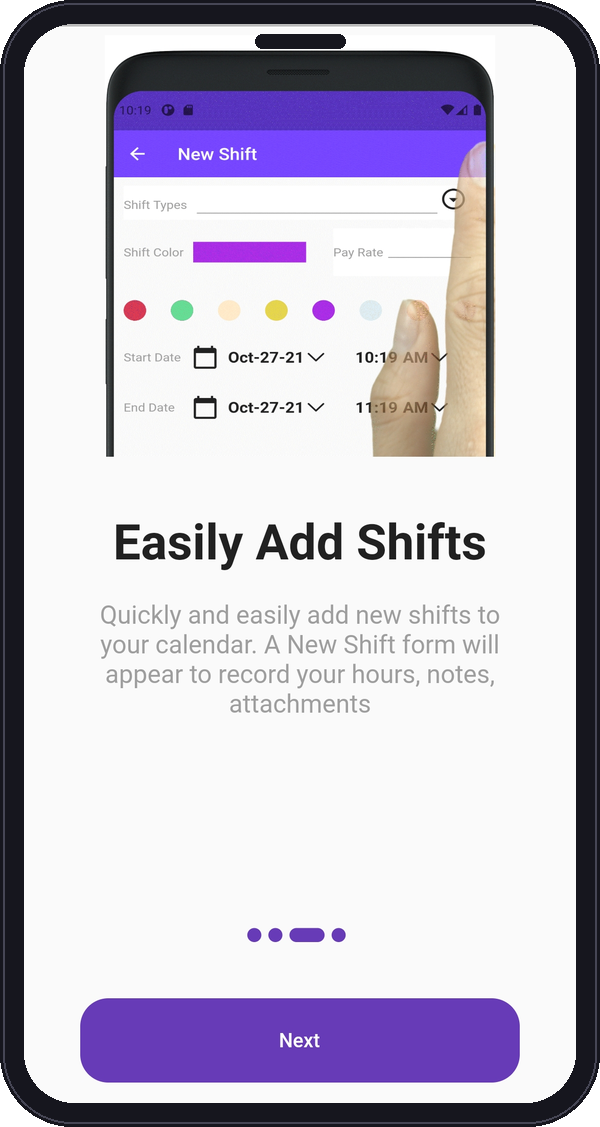
Add each shift with its date, times, type, color and notes. Attach photos or documents if you need to.

3. See what you earned

Check your hours and earnings in the analytics, then export or print a PDF report.
Your hours and pay
at a glance

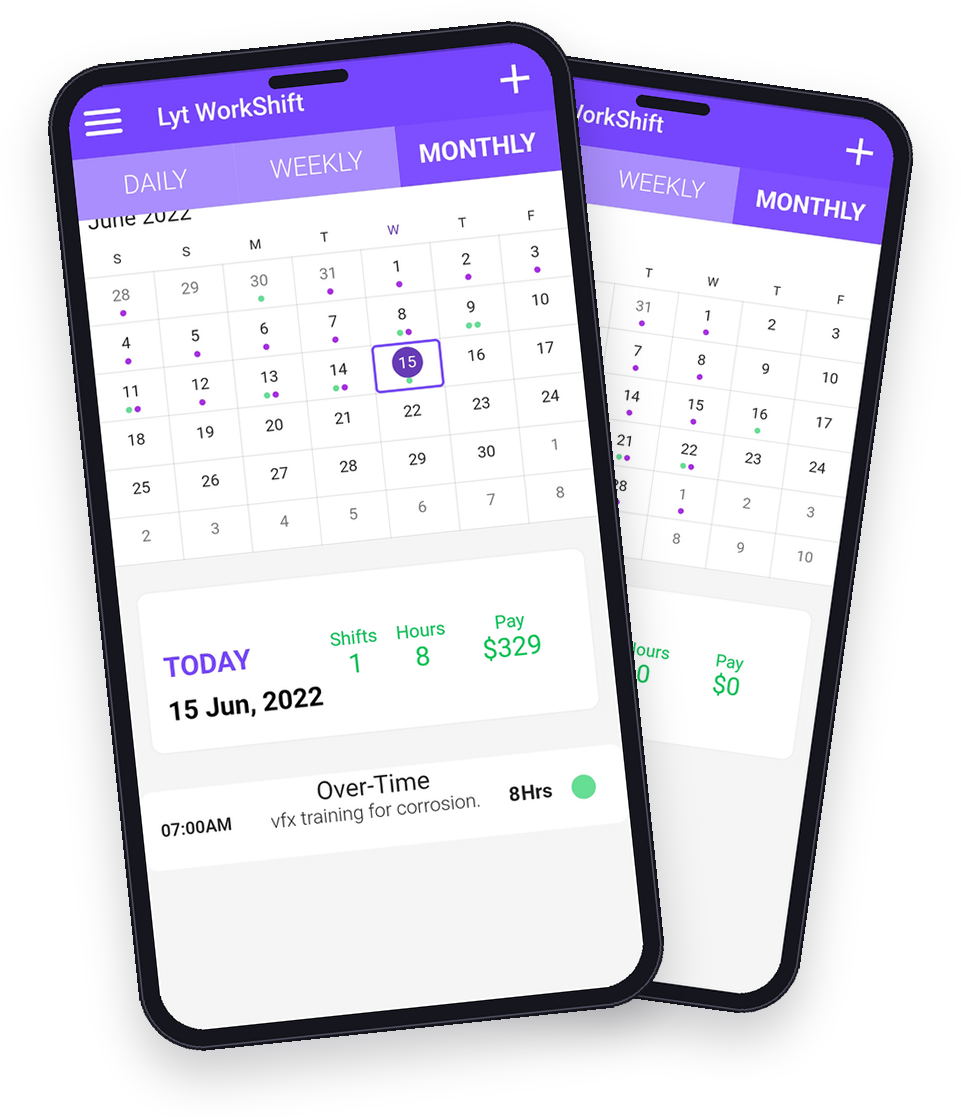
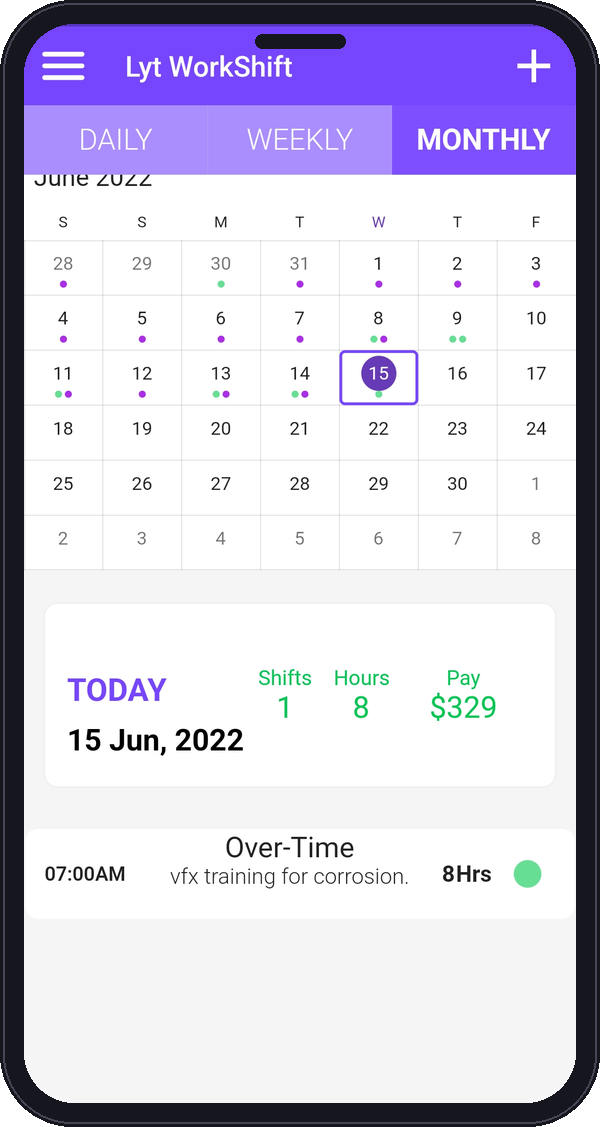
Daily, weekly and monthly views show your shifts,
plus the shifts, hours and pay for each day.
  • Daily, weekly and monthly calendar views
  • Shifts, hours and pay totals for the day
  • Export PDF reports or print via AirPrint or Bluetooth
Lyt WorkShift calendar with a logged shift and daily totals

App
screenshots

Real screens from the Lyt WorkShift app.

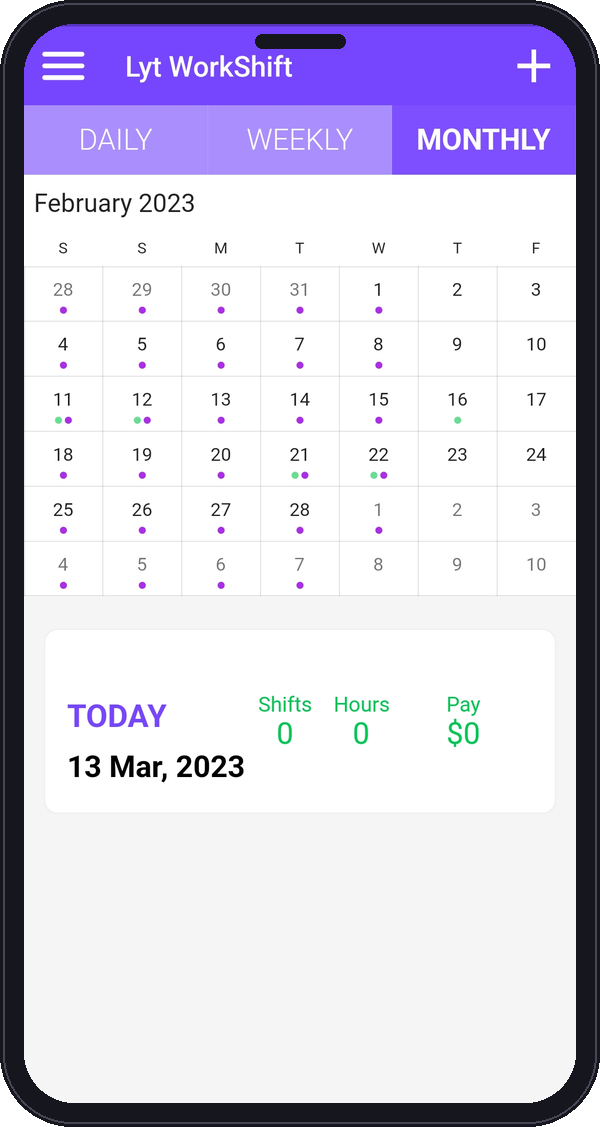
Lyt WorkShift monthly calendar view
Lyt WorkShift: easily add shifts
Lyt WorkShift: add shift defaults
Lyt WorkShift settings: pay rate, tax rate and default shift times
Lyt WorkShift calendar with a logged shift and daily totals

Frequently
asked questions

Quick answers about Lyt WorkShift. For more help, visit our Support page.

Is Lyt WorkShift free?

Yes. Lyt WorkShift is free to download on the App Store. The app shows banner ads, served by Google AdMob, to keep it free.

No. There is no online account and no cloud server. Everything you enter is stored only on your device. See our Privacy Policy for details.

Open the app menu and go to Backup to create a backup file (.zip). Save it somewhere safe using the share sheet or the Files app, such as iCloud Drive. On your new device, install Lyt WorkShift, open Backup, choose Restore and select that file. Because we do not store your data, we cannot restore it for you if you have no backup.

Open Analytics or a report and choose the PDF or print option. You can print through AirPrint or a Bluetooth printer, or share the PDF.

Yes. You can attach photos or documents to your shifts. Camera and Photos access is optional and only used when you add an image.

Lyt WorkShift is available on the App Store and requires iOS 15.0 or later.

Email support@lytworkshift.xyz or visit our Support page. We usually reply within 2 business days.

Get Lyt WorkShift free on the App Store.

Start tracking your shifts, hours and earnings today.
Free, with banner ads. No account needed.